
LDAP Query Window: Active Directory Enumeration from a Focused Interface
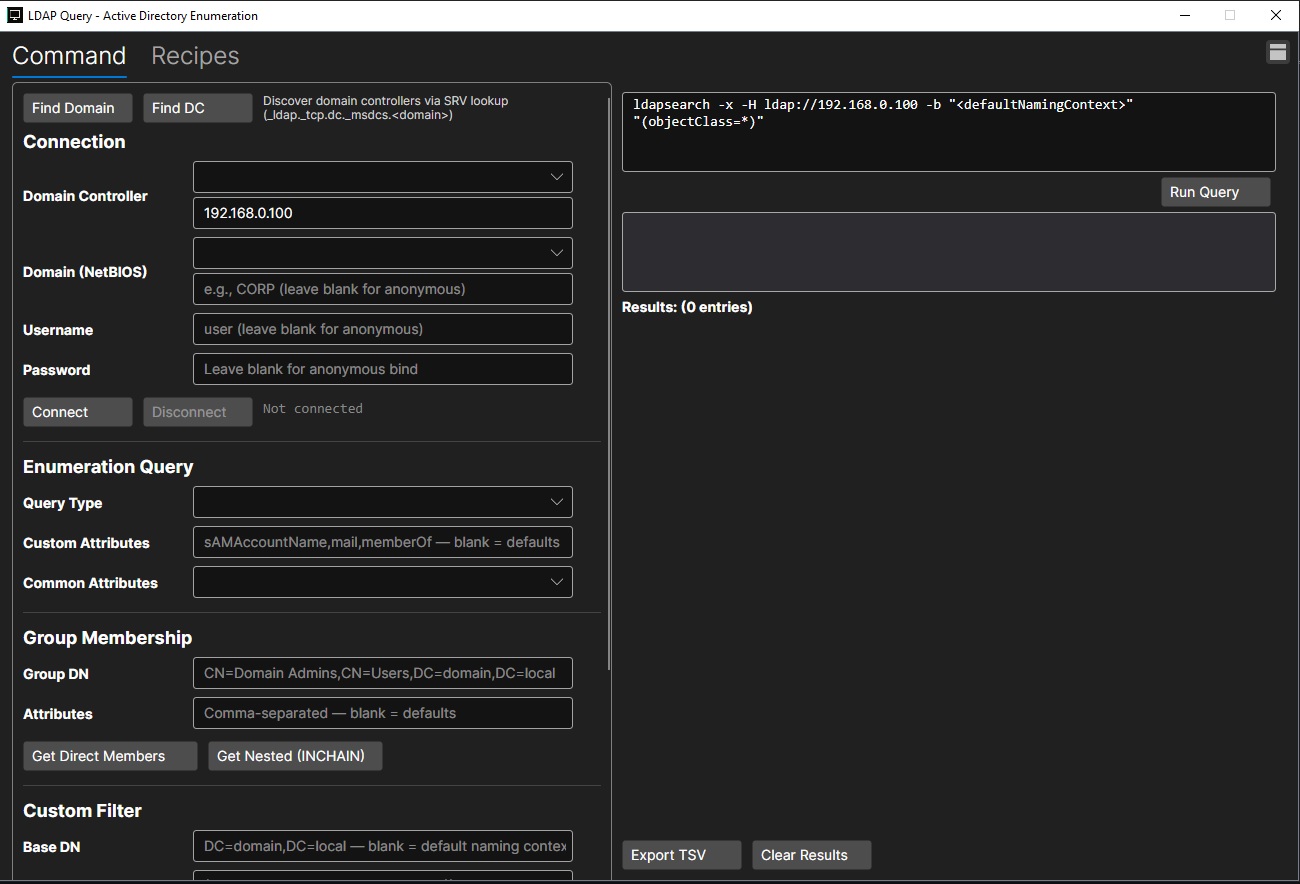
The LDAP Query window is built for Active Directory enumeration, giving users a focused interface for discovering domain information, connecting to a domain controller, and running LDAP queries without manually assembling every command from scratch. It combines connection setup, query building, group membership checks, custom filters, and result handling into a single workflow.
At the top of the window, users can quickly find domain details or locate a domain controller. The Find Domain and Find DC options help identify key Active Directory connection information, including domain controller discovery through SRV lookup. Once the target is known, the connection panel allows the user to enter the domain controller address, NetBIOS domain, username, and password. It also supports leaving credentials blank for anonymous bind scenarios when permitted by the environment.
The enumeration query section helps simplify common LDAP searches. Users can select a query type, define custom attributes such as account names, email addresses, or group membership fields, and choose from common attribute sets. This makes it easier to tailor output to the information needed instead of collecting unnecessary data.
The group membership tools are especially useful for identifying privileged relationships inside Active Directory. Users can provide a group distinguished name, choose attributes, and retrieve either direct members or nested membership through INCHAIN queries. This helps reveal users or groups that may inherit access indirectly through nested group structures.
For more precise searches, the custom filter area allows users to define a base distinguished name and build LDAP filters manually. The generated command is displayed in the command panel, giving visibility into the actual ldapsearch syntax before execution. After running a query, results appear in the output area, where entries can be reviewed, cleared, or exported as a TSV file for reporting and follow-up analysis.
Overall, the LDAP Query window turns LDAP enumeration into a more controlled and repeatable process. It keeps discovery, authentication, query construction, execution, and export in one place, helping users move efficiently from domain connection to actionable Active Directory data.