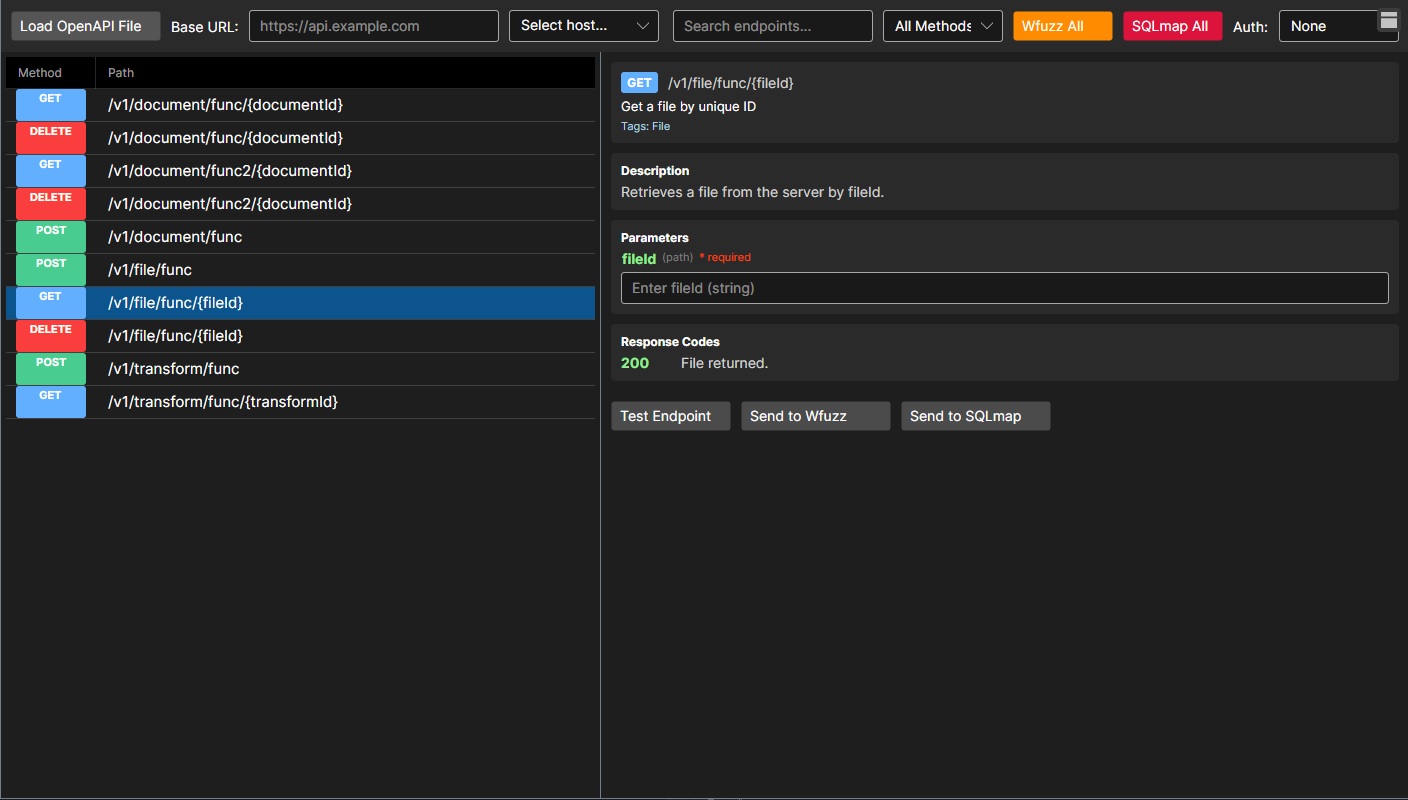
Web API Viewer: OpenAPI to Actionable Testing _
Load OpenAPI JSON, browse endpoints instantly, and launch WFUZZ or SQLMap against the exact route you select.
Import Obsidian .canvas files, turn nodes into live commands, and track progress directly inside your mindmaps.
RTFMv2’s CVE Database Manager centralizes full or incremental refresh workflows, supports a dedicated vector-embedded CVE index or an existing CVE database, and enables semantic search with an embedding model chosen in the Admin AI settings.
The CVE Management page delivers a complete CVE operations dashboard with live metrics, guided update workflows, and detailed progress reporting—while leaving embedding provider selection to AI settings and storage configuration to the Admin DB manager.
The Checklist Manager page gives RTFMv2 Server a full in-browser editor for creating, organizing, and maintaining operational checklists, complete with categories, ordered items, and rich entry details.
The new RESTler UI brings Microsoft’s RESTler REST API testing tool into the RTFMv2 interface, turning complex CLI workflows into a guided, repeatable process. It supports OpenAPI-based grammar compilation, fuzzing modes, and full command visibility before launch.
RTFMv2 introduces a new interface for the Schemathesis API security testing tool. The interface provides a guided workflow for configuring OpenAPI-based scans, generating CLI commands, and running tests without leaving the desktop app.
RTFM now features a real-time messaging system that instantly delivers important updates and activity alerts to users as they happen.
The Host tab automatically fills with live targets and, for each selected system, immediately surfaces identity details, a rich services grid with automation shortcuts, and an attached notes pane so every host feels like a continuously updated dossier.
RTFMv2’s CLI can now host a TLS-authenticated WebSocket hub that lets remote teammates join shared sessions, run every command (including shells and plugins), exfil loot via file --copy, and chat in real-time all without leaving the console.
RTFMv2’s console has evolved into a session-driven operations center that lets teams create or load encrypted workspaces, replay scripted playbooks, hot-load plugins/Lua commands, and even hand commands to Node-RED dashboards or remote shells all from a single, license-gated binary.
The first public release of the RTFMv2 Client is here—free, self-hosted, and built for professionals.