Configuration & Security
This page covers initial setup, security recommendations, and the core configuration areas for the CoordOps Server.
Initial Setup
On first run, the server walks you through a guided setup wizard. Each step is its own page:
- Welcome — the wizard's starting page, which introduces the setup process.
- Database Check — verifies the database is reachable and ready (SQLite by default).
- Admin Account — create the first administrative user (username and password).
- Populate Data — optionally seed the server with the built-in reference data (checklists, commands, code snippets, attack flows, and CVE data).
- Complete — confirms setup is finished and hands you off to the sign-in page.
After the wizard, you can still configure optional items at any time from the Admin area:
- SSL Certificates (optional): upload TLS certificates for HTTPS
- AI Configuration (optional): connect to OpenAI-compatible APIs
Installation and Updates
On Windows, install the server by running the current CoordOps Server installer and following the setup wizard.
On Linux, install the server package with apt from the directory containing the downloaded .deb file:
sudo apt install ./RTFMServerSetup.deb
To force a reinstall or apply a refreshed local package over an existing install:
sudo apt install --reinstall ./RTFMServerSetup.deb
After installation, open the configured server URL in a browser and complete the first-run setup.
System Requirements
- Platform: Windows, Linux
- Runtime: .NET 8.0 or higher (the installer will have the runtime included)
- Database: SQLite (included)
- Memory: 2GB RAM minimum, 4GB recommended
- Storage: Varies based on session data and uploaded files
Security & Authentication
- JWT Authentication: Secure API access with JSON Web Tokens
- Cookie-based Auth: Session-based authentication for web interface
- Identity Framework: Built on ASP.NET Core Identity for user management
- TLS Support: HTTPS encryption with certificate management
- Session Isolation: Users only see sessions they have permission to access
Signing In
Open the server URL in a browser and sign in on the Login page with the credentials created during setup (or issued to you by an administrator). After signing in you land on the home dashboard.
If you try to open a page you don't have permission for, the server shows an Access Denied page — ask an administrator to grant you access to the session or feature.
Downloading Client Applications
The server hosts a Downloads page where users can grab the CoordOps client applications (the desktop GUI and the console) for Windows and Linux, so team members can get the tools straight from the server they connect to.
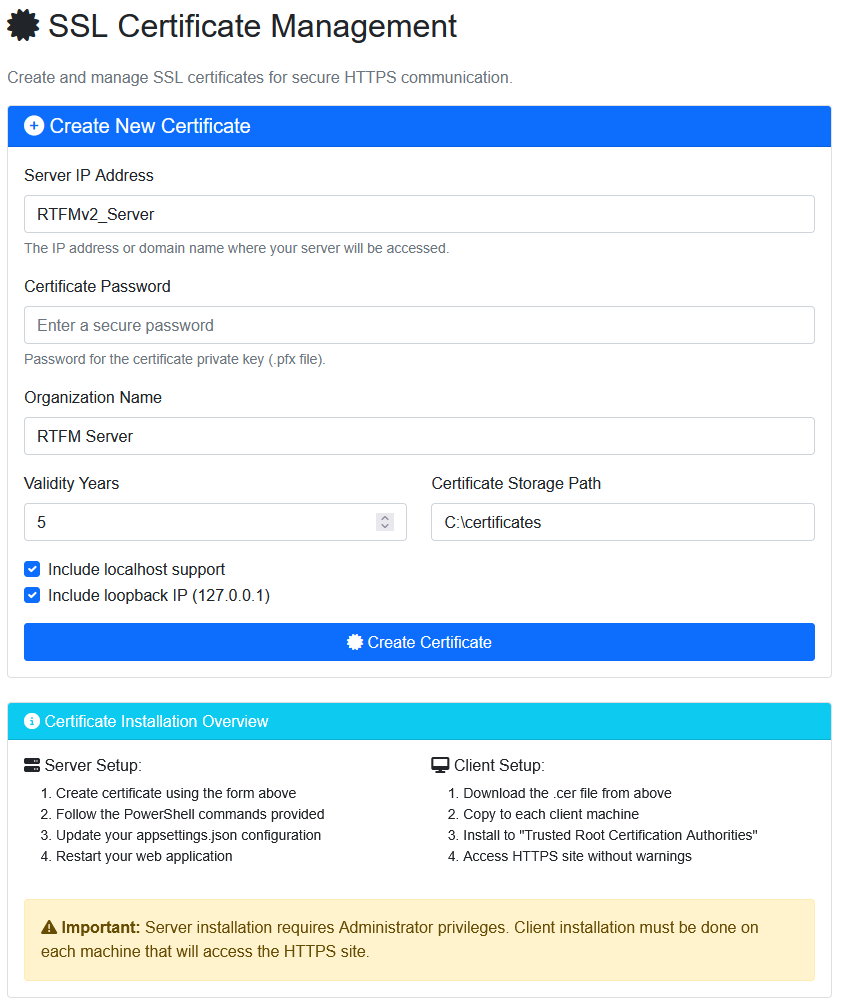
TLS Certificate Creation & Deployment
Use the built-in certificate workflow to create and deploy TLS for secure HTTPS access.
- Generate a new certificate for your server
- Assign the certificate to the HTTPS endpoint
- Validate the deployment before going live
Security Considerations
- Change Default JWT Secret: Update the JWT signing key in production
- Use HTTPS: Configure TLS certificates for production deployments
- Regular Backups: Back up the database regularly
- Access Control: Carefully manage user permissions and session access
- Update Dependencies: Keep framework and libraries up to date
Configuration
Key configuration settings in appsettings.json:
- Database Connection: Connection string configuration
- JWT Settings: Issuer, audience, and signing key
- AI Configuration: API endpoints and keys
- File Upload Paths: Storage locations for uploaded files
- Session Timeout: Configure session expiration
Integration Points
The server integrates with other CoordOps components:
- CoordOps Console: Upload logs, commands, and data to server sessions
- CoordOps GUI: Synchronize findings and session data
- External Tools: Import data from scanners and security tools
- AI Services: Connect to OpenAI or compatible APIs